How to Build an AI Agent: A Step-by-Step Guide to Building & Training Enterprise AI Agents
Share this blog:

60 Second Summary
Define the business problem first. Pick the task, the autonomy level, the success metric, and where a human still needs to approve.
Build six core components. LLM, memory, planning, tool calling, RAG knowledge layer, and guardrails.
Follow a 10-step process from identifying the business process through to continuous optimization once it's live.
Match the tech stack to the build tier. A simple assistant needs an LLM, basic RAG, and a database. A full enterprise agent needs a workflow engine, event streaming, and audit logging.
Train the system, not just the model. Improve performance through prompt engineering, RAG, evaluation, and human feedback, not weekly retraining.
Budget realistically. Roughly $10,000 to $300,000+ depending on complexity, and 4 to 8 weeks for a basic agent versus 6 months to a year for a full system.
Almost every enterprise is experimenting with AI agents right now. Very few are actually running them in production.
That gap isn't about ambition. It's about execution.
Give a team a weekend, and they'll ship a chatbot that answers FAQs. But ask that team to build an agent that reads a customer's history, checks internal systems, decides escalation, and updates the CRM without anyone watching, and things get a lot harder.
That's the real difference between an AI demo and an enterprise system. One impresses people in a meeting. The other quietly works every day without breaking.
If you're a CTO, AI lead, or engineering leader trying to move from "we should build an agent" to "we have one in production," this guide walks through exactly that.
An agent isn't one thing. It's a stack of 8 components working together, and each one has its own failure mode. Miss any single piece and the agent either can't act or can't be trusted to act.
The core loop looks like this -
Input → Reasoning → Memory → Planning → Tools → Execution → Evaluation → Learning
Here's what each layer does, and where it tends to break -
Picking one isn't just about benchmark scores. Claude, GPT, Gemini, and open-source models like Llama each differ in reasoning depth, tool-use reliability, latency, and cost.
Note: using an expensive, heavyweight model for a simple ticket router when a smaller one would do the job faster and cheaper.
Short-term memory tracks the current task. Long-term memory, usually backed by a vector database, recalls past interactions and company knowledge.
Watch out for: the agent either forgetting context mid-task or dragging in irrelevant history that muddies its reasoning.
Breaks a goal into steps instead of jumping straight to an answer. A support agent doesn't just "resolve the ticket."
It checks history first, then the CRM, and then decides on escalation.
Watch out for: weak planning, which is one of the most common reasons an agent feels unreliable in practice.
The agent's actual ability to reach into your CRM, ERP, Slack, or database and do something.
Watch out for: this being the brittle layer in the whole system, since it depends entirely on how clean your APIs and integrations are.
Grounds the agent in your internal documentation, policies, and company data instead of general internet knowledge.
Watch out for an agent who sounds confident but is answering from the wrong source entirely.
Security, access control, prompt-injection protection, and approval workflows for anything sensitive.
Watch out for: treating this as optional. It's the layer that keeps an autonomous system from becoming a liability.
Security and compliance are core building blocks of enterprise AI-agent architecture, not an afterthought bolted before launching.
An agent shouldn't just produce accurate outputs; it has to operate within approved security, privacy, regulatory, and audit standards such as ISO 27001, SOC 2, GDPR, HIPAA and NIST AI framework.
Once you know the exact process you're solving, AI agent development becomes easy.
Here's the exact process that our engineering team use for building AI agents, so you don't have to figure it out -
Most teams start with "we want an AI agent." That's a backward approach. Start with which business processes actually consume the manual effort?
The goal here is to automate the measurable workflow, not just introduce AI for your own sake. By the end of this step, you'll have :
Before anyone in our development team writes a prompt, we understand how the work actually gets done today. This means answering:
This mapping usually reveals that only part of a workflow is suitable for automation.
The output is a workflow diagram that separates manual tasks, automated tasks, human approval points, and external system interactions.
This step involves evaluating structured data (CRM, ERP, HRMS, finance, ticketing systems) and unstructured data (PDFs, emails, policies, contracts, SOPs, knowledge bases).
It also means identifying data quality issues, missing information, duplicate records, access permissions, and security constraints up front. Poor data readiness is one of the most common causes of project delays, and it's almost always found here, not later.
Now you define, explicitly, what the agent should and shouldn't do.
For example, the agent can read contracts, classify requests, generate responses, create tickets, and update the CRM. It cannot approve payments above a set limit, delete records, sign legal agreements, or override compliance policies.
This is also where the real architectural decisions are made:
Governance starts here, not at the end.
This is the AI layer itself which includes typical capabilities such as:
The goal is an agent that makes context-aware decisions while staying inside the boundaries you defined in step 4.
Note: For a practical implementation perspective, see OpenAI’s guide to building AI agents.
An agent only becomes valuable once it can interact with the applications your business runs on:
This is usually the single largest engineering effort in the entire project.
Enterprise AI should never operate without governance. That means role-based permissions, approval workflows, confidence thresholds, audit logs, policy validation, sensitive data protection, and human escalation paths.
These controls are what make the agent trustworthy enough actually to deploy.
Testing goes well beyond checking if the model gives a reasonable answer.
You need to validate across five dimensions:
Note: Real users need to be part of acceptance testing before anything goes to production. Skipping this step is how agents that looked fine in a demo fall apart in the first week of real use.
Production deployment is the beginning, not the finish line. Track usage, response quality, automation rate, user feedback, cost, latency, failure patterns, and escalation frequency from day one. These numbers tell you whether the agent is actually working, not just running.
Enterprise AI software evolves with the business, which means regularly updating knowledge sources, refining prompts, expanding integrations, improving workflows, adopting newer foundation models as they become viable, and identifying new automation opportunities as they emerge.
This is the step most teams skip, and it's usually why an agent's performance quietly degrades six months after launch.
Building an AI agent is more than choosing the right model; it's about designing workflows that solve real business problems. Here's how that process looks when applied to legal contract automation.
Phase | What it Looks Like |
Business process | Automate contract review and approval |
Workflow mapping | Identify drafting, review, approval, signing, and storage steps |
Data assessment | Contracts, policies, templates, client data |
AI design | Extract clauses, summarize risks, recommend changes |
Intelligence | Legal knowledge retrieval and policy-based reasoning |
Integrations | CRM, document management, e-signature platform |
Guardrails | Human approval required for high-risk contracts |
Testing | Validate against legal checklists and historical contracts |
Deployment | Release to legal teams with monitoring in place |
Optimization | Improve clause detection and approval workflows over time |
Training an AI agent doesn't mean retraining the underlying LLM every week.
What improves an agent over time is the system around the model. That includes prompt engineering, which shapes how the model interprets its task.
It includes RAG, which keeps the agent grounded in current, accurate information instead of stale training data.
Fine-tuning has its place, but it's used selectively, not as a weekly ritual.
Reinforcement learning from human feedback helps refine how the agent handles ambiguous cases.
And none of these matters without an evaluation dataset and enterprise-specific benchmarks that tell you whether the agent is actually getting better or just getting different.
Note: Teams that treat training as a one-time step are usually the ones surprised when their agent's performance quietly degrades six months in.
The technology stack you choose directly impacts your AI agent's scalability, security, and long-term maintainability. Instead of selecting tools based on popularity, align your stack with your business requirements, deployment environment, and integration needs.
Layer | Purpose | Common Technologies |
Frontend | User interaction | React, Angular, Flutter, Swift, Kotlin |
Backend APIs | Business logic and orchestration | FastAPI, Node.js, Spring Boot, .NET |
LLM providers | Natural language reasoning | OpenAI GPT, Anthropic Claude, Google Gemini, Azure OpenAI, Llama, Mistral |
Agent frameworks | Workflow orchestration | LangGraph, LangChain, CrewAI, AutoGen, Semantic Kernel |
Knowledge retrieval (RAG) | Enterprise search | LlamaIndex, LangChain, Haystack |
Vector database | Semantic search | Pinecone, Weaviate, Qdrant, Milvus, pgvector, Faiss |
Traditional databases | Business data | PostgreSQL, MySQL, MongoDB, SQL Server |
Workflow Automation | Business process execution | Temporal, Apache Airflow, Camunda, n8n |
Enterprise Integrations | Connecting enterprise systems | REST APIs, GraphQL, gRPC, Kafka, RabbitMQ |
Cloud platforms | Hosting and scaling | AWS, Azure, Google Cloud |
Containers and Orchestration | Deployment | Docker, Kubernetes, OpenShift |
Security and identity | Identity Authentication and authorization | OAuth 2.0, OpenID Connect, Azure AD, Keycloak, Auth0 |
Monitoring and Observability | Performance and reliability | Langfuse, LangSmith, OpenTelemetry, Grafana, Prometheus |
Don't Forget! There's no universal AI stack that fits every enterprise.
The right combination of frameworks, databases, and orchestration tools depends on your existing architecture, your compliance requirements, your cloud strategy, and what you're already running.
Any vendor who pitches you one fixed stack for every use case probably hasn't built enough of these to know better.
The engineering team at BigOhTech found that most AI agent failures have nothing to do with the model. They come down to poor business decisions and weak implementation.
AI should automate proven internal SOPs and workflows, not processes that are still evolving or frequently changing. If a workflow isn't standardized today, an agent will just reproduce the same inconsistency, faster and at scale.
Rule: Automate what already works, not what you hope will work.
Many organizations ask "where can we use AI?" The better question is "what business problem are we solving?" Every AI agent should have a clearly defined:
Build agents around measurable outcomes, not hype.
Uploading PDFs into a prompt isn't knowledge management. Production agents need version-controlled documentation, real RAG, vector search, and permission-aware retrieval.
Using one LLM for every task is expensive and inefficient. Different models excel at routing, reasoning, coding, vision, or structured extraction. Forcing every request through the most expensive model wastes money for no gain in accuracy.
No human-in-the-loop for irreversible decisions:
Humans should approve these until confidence is proven, not after.
Approval workflows, role-based permissions, audit logs, and confidence thresholds all need to exist before launching, not after an incident.
Avoid architectures tightly coupled to a single LLM provider. Design for model abstraction, multi-model orchestration, provider switching, configurable prompts, and standard APIs. This improves resilience, flexibility, and cost optimization.
Just as product teams define KPIs before building a feature, AI teams should define success metrics before deploying an agent.
Measure accuracy, hallucination rate, business outcome, cost per task, response latency, user satisfaction, task completion, and human intervention rate.
AI costs grow fast with scale. Monitor token consumption, prompt size, model selection, tool calls, retry loops, context size, and memory usage. Introduce AI FinOps practices from day one, not once a bill surprise someone.
Most hallucinations happen because the AI lacks business context. Provide agents with company policies, customer history, previous conversations, product documentation, business rules, and domain knowledge.
Every AI workload has a different priority:
Use Case | Primary Goal |
Customer support | Speed |
Legal drafting | Accuracy |
Healthcare | Safety |
Content generation | Balance |
Note: Not every agent should optimize for speed. In legal or compliance workflows, users are usually willing to wait longer for a more accurate answer. Design agents around the business priority, not a generic latency target.
Most AI agent projects fail for reasons that have nothing to do with the model:
A production-ready agent needs real architecture, real integrations, and a team that keeps optimizing it after the build.
Costimizer is a good example of what that looks like in practice.
Its finance team couldn't tell which team or project was driving rising cloud costs, so the AI agent development team at BigOhTech built them an agent that scans usage in real time and flags anomalies before they become a monthly surprise.
The results:
That's the difference one well-scoped agent, built around a specific problem, can make.
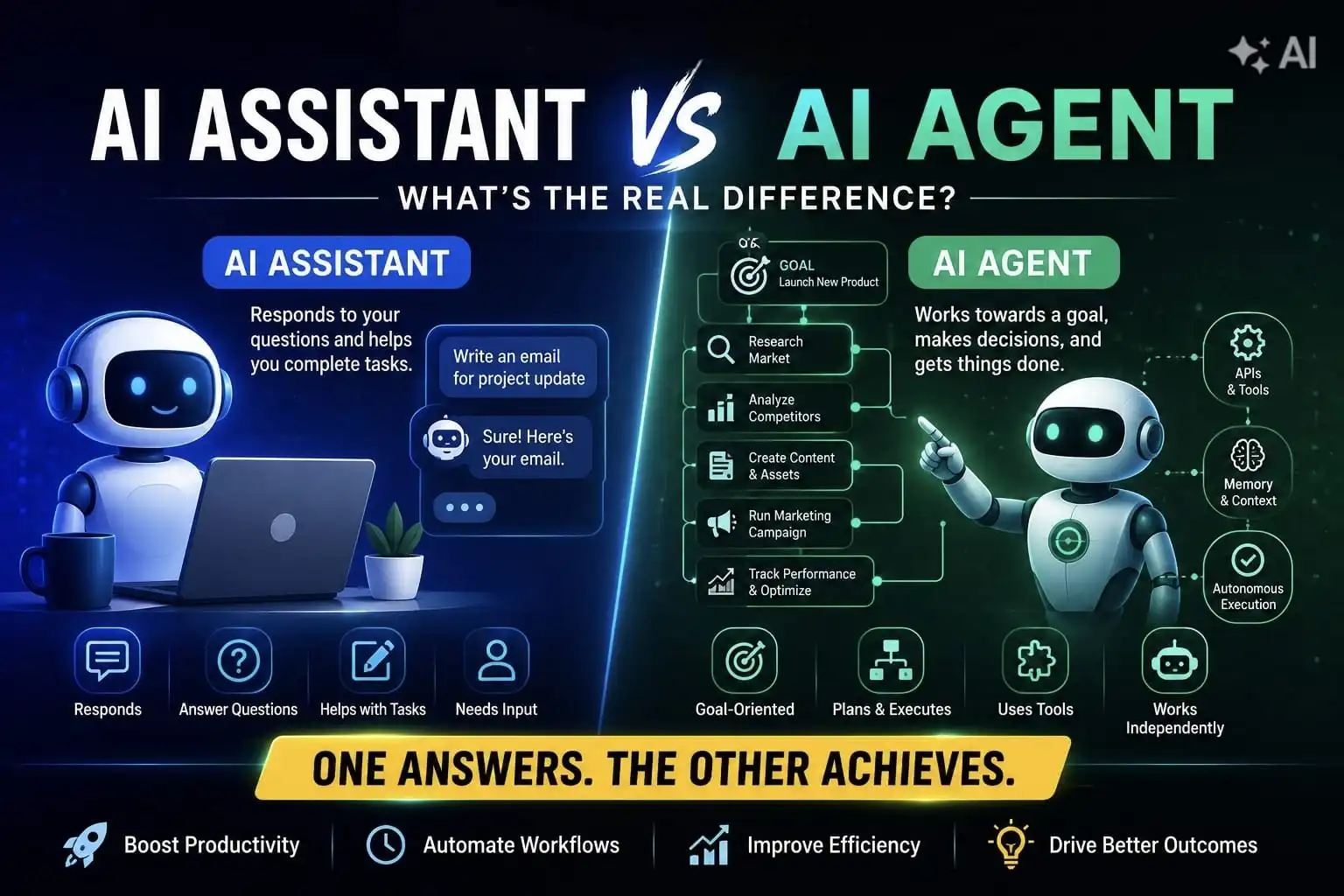
An AI agent is typically built to handle one or two specific tasks autonomously. Agentic AI goes further. It sets sub-goals, makes decisions, and plans a multi-step path toward an outcome rather than just executing a single instruction.
Generative AI creates content from a prompt: text, images, code. Agentic AI acts. It makes decisions, interacts with software systems, and completes multi-step tasks without needing a prompt at every step.
Based on internal project benchmarks across enterprise AI implementations, it ranges widely, from roughly $10,000 for a simple, narrow agent to $300,000 for a complex, multi-agent enterprise system.
The main cost drivers are the level of reasoning complexity the agent requires, how customized it is versus off-the-shelf, how many systems it has to integrate with, and ongoing maintenance costs.
A basic agent with limited scope can go from kickoff to deployment in 4 to 8 weeks. A full agentic system with more complex reasoning and multiple integrations typically takes 6 months to a year to build.
No. A good implementation partner walks you through the process in plain language, handles the engineering, and can set you up with no-code dashboards so your team can monitor and manage agents without writing a line of code.
Yes. Most enterprise agent projects integrate with cloud platforms like AWS, Azure, and GCP, collaboration tools like Slack and Teams, business systems like CRM and ERP, and internal APIs, all without disrupting existing workflows.
If you have a strong internal AI team and a narrow use case, building in-house can work. For complex workflows and integrations, an experienced partner usually gets you to production faster with less engineering risk.
Not always. Building internally still means covering engineering time, infrastructure, integrations, security, and long-term maintenance; costs that don't disappear just because they're not on an invoice.
Start with clearly defined workflows, rigorous testing, clean data, and controlled access to tools, not just a capable LLM. Once it's live, reliability comes from continuous monitoring, evaluation, and human oversight.
Give it clearly defined permissions and require human approval for anything high-risk or irreversible. Guardrails, role-based access, and audit trails keep autonomous actions controlled and accountable.
Not every process needs multiple agents. Start with a single agent for one well-defined workflow and move to a multi-agent only when the process is complex enough to require it.
More than most teams expect going in. Agents need ongoing monitoring, testing, prompt optimization, and updates as your data and workflows change, not a "build once and forget" approach.
Treating it like a chatbot project and focusing only on the model. A successful enterprise agent needs the right workflow, integrations, data, security, and monitoring built around that model.


•
DevOps Engineer•
Articles