
In the fast-paced world of web development, ensuring optimal performance is crucial for delivering a seamless user experience.
Angular, with its powerful features and robust framework, is a popular choice for building dynamic Single-Page-Applications (SPA). However, as applications grow in complexity, developers must focus on optimizing Angular performance to maintain speed and responsiveness.
In this guide, we’ll explore various strategies and best practices to enhance the performance of your Angular applications.
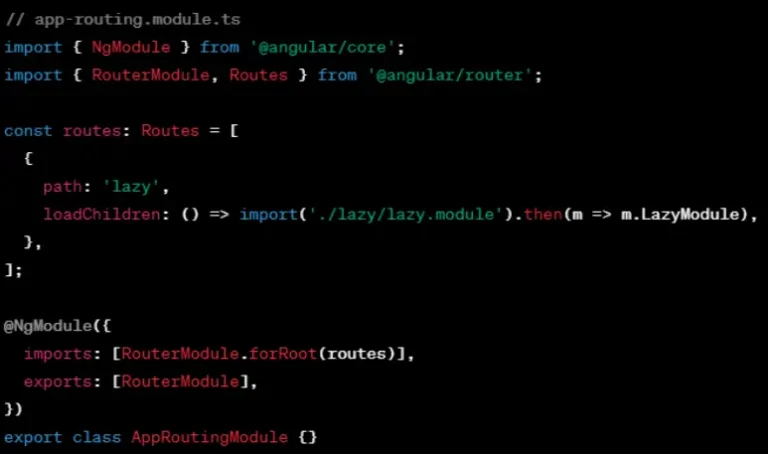
One of the key strategies to optimize Angular performance is leveraging lazy loading for modules. By loading modules on-demand, you reduce the initial load time of your application. Explain how to implement lazy loading and provide examples of scenarios where it can have a significant impact on performance.
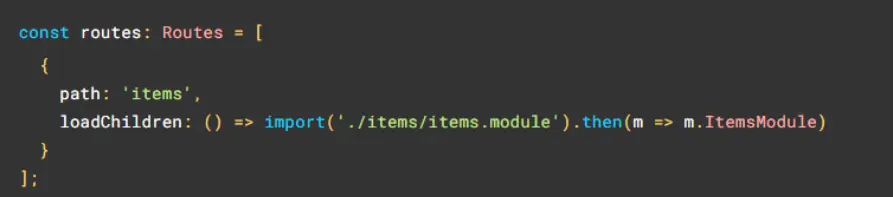
Learn more about lazy-loading feature modules
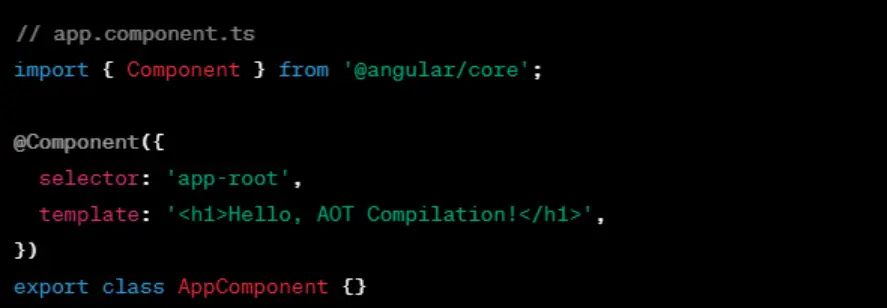
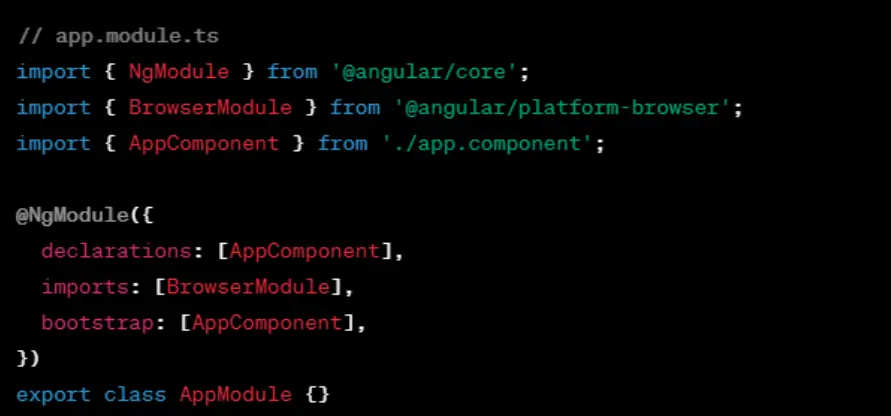
AOT compilation is another powerful technique to boost Angular application performance. Unlike Just-in-Time (JIT) compilation, AOT compilation occurs before the application is executed in the browser, leading to smaller bundle sizes and faster rendering. Guide developers on incorporating AOT compilation into their build process.
Create angular component
Create angular module
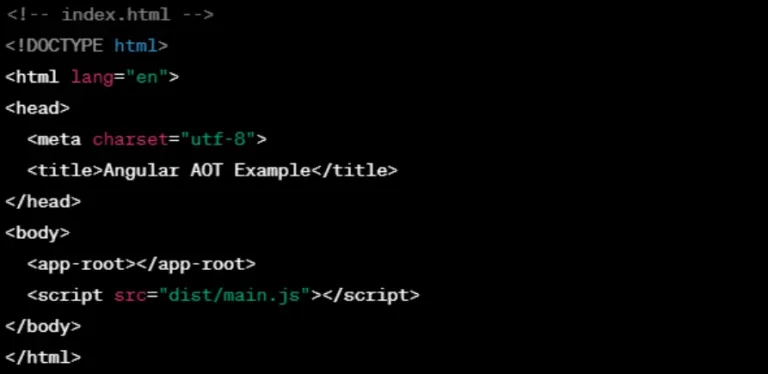
Build angular using AOT compiler using angular CLI

Include the generated JavaScript file in your HTML
Explore more about AOT compilation
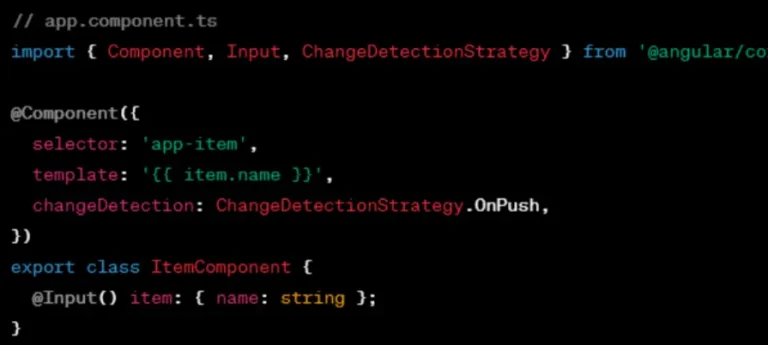
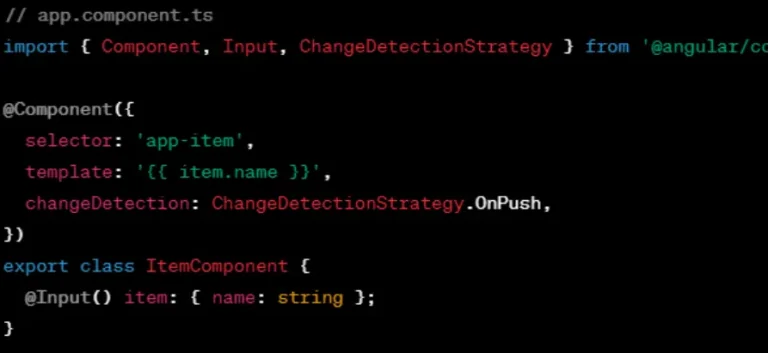
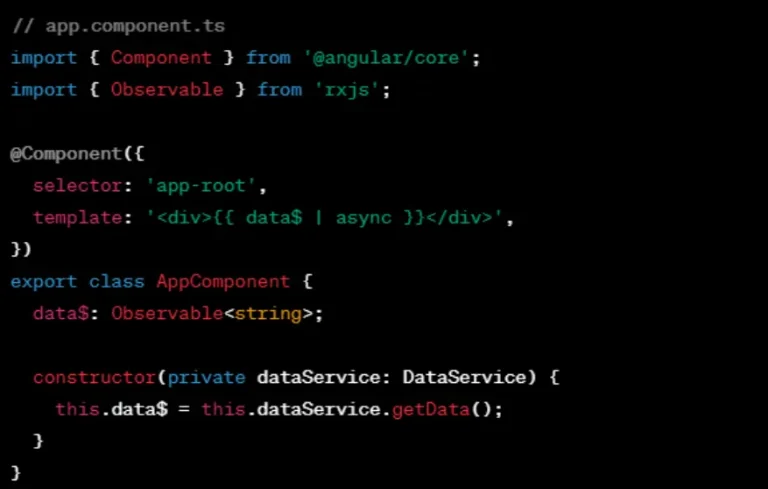
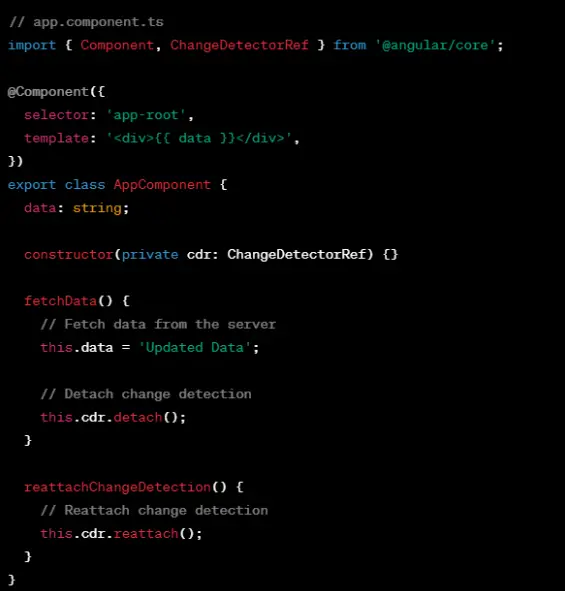
Angular’s change detection mechanism is powerful but can impact performance if not used judiciously. Discuss strategies to optimize change detection, such as using OnPush change detection strategy, Immutable.js, and avoiding unnecessary DOM manipulations.
OnPush Change Detection Strategy
Immutable Data
Async Pipe for Observables
ChangeDetectionRef.detach()
Read more on Angular change detection and runtime optimization
Explore the concept of tree shaking to eliminate unused code and dependencies from your bundles. Guide developers on configuring their build tools (like Webpack) to perform effective tree shaking and bundle optimization, resulting in smaller file sizes and faster load times.
Use Production Configuration & Minimize Angular Bundles

Use Lazy Loading
Remove Unused Code

After installing you can run your build

Read more about Angular Tree Shaking
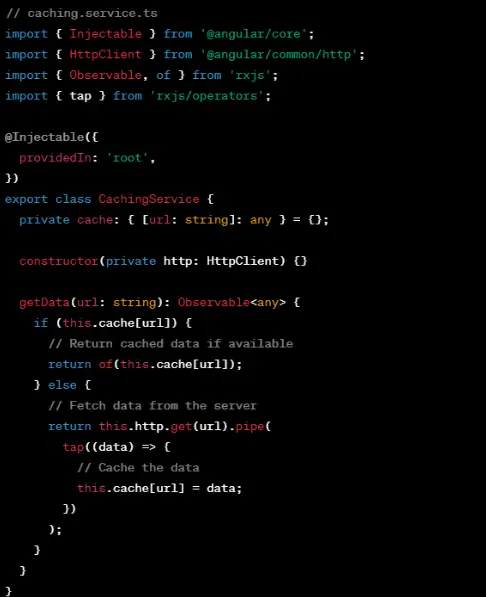
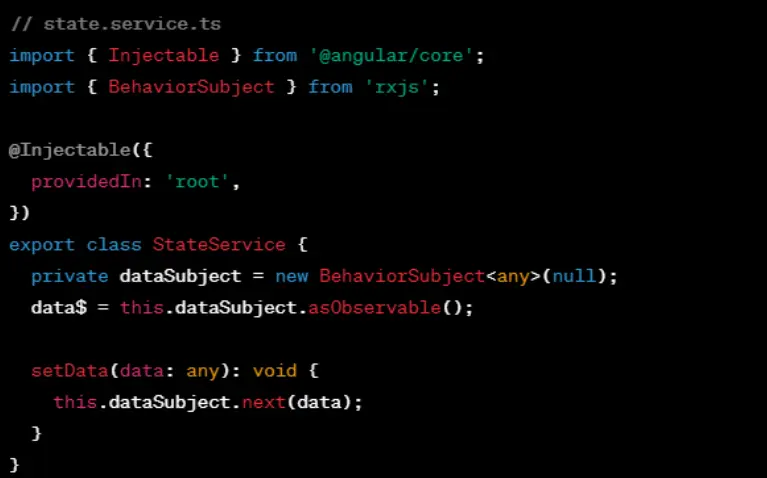
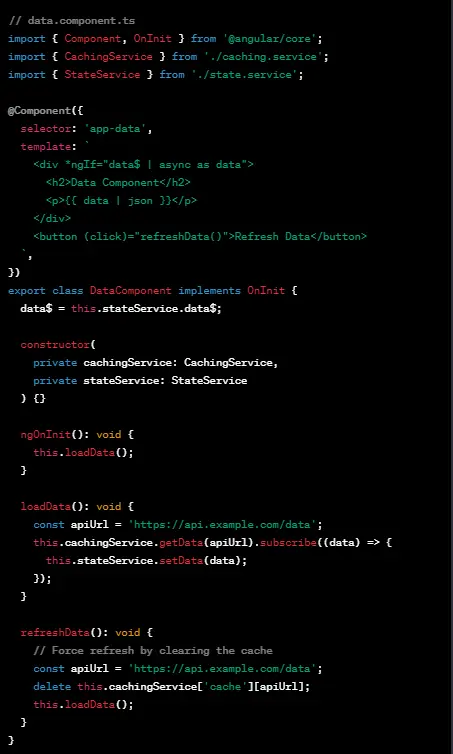
Efficient caching and state management contribute significantly to performance improvements. Discuss the benefits of caching data, optimizing API calls, and utilizing state management libraries like NgRx for better control over application state. Provide real-world examples to illustrate these concepts.
Example
State Management Service
Component using caching & state management
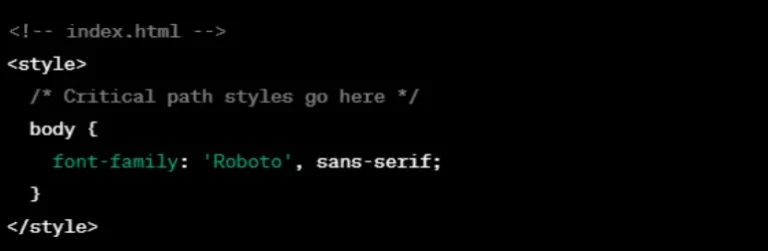
CSS can impact rendering performance, and optimizing styles is often overlooked. Share tips on minimizing CSS file sizes, avoiding overly complex styles, and utilizing Angular’s ViewEncapsulation to encapsulate component styles. Discuss the importance of critical CSS for initial page load.
Scope styling
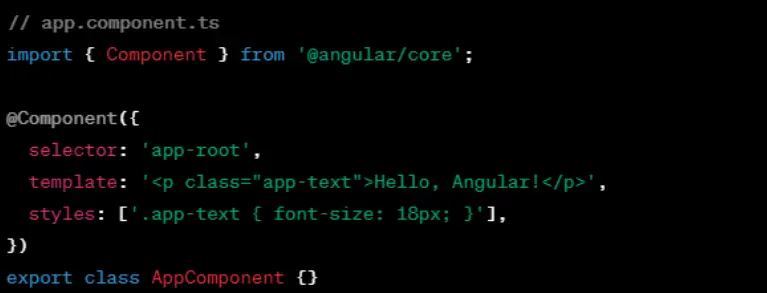
CSS minify

Critical path CSS
CSS preprocessor

Optimize media query

CSS purging

Avoid important

Also Read: Angular Vs React Web Development
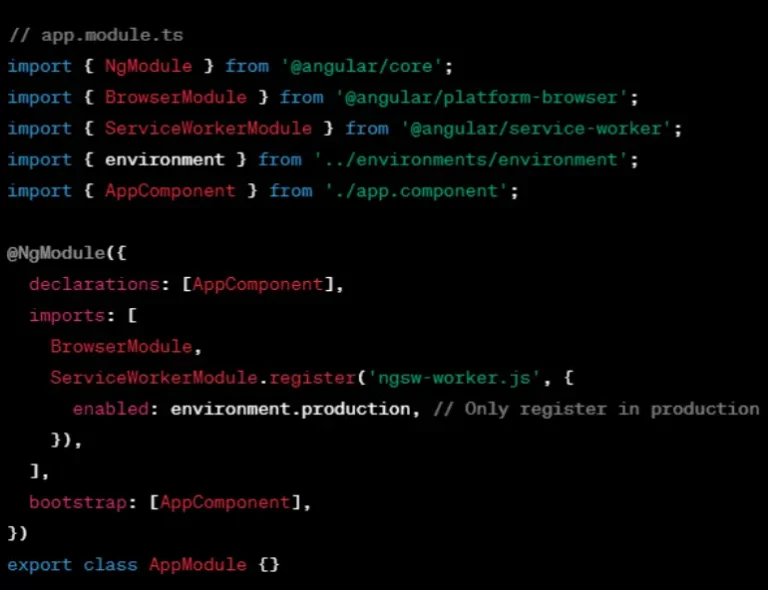
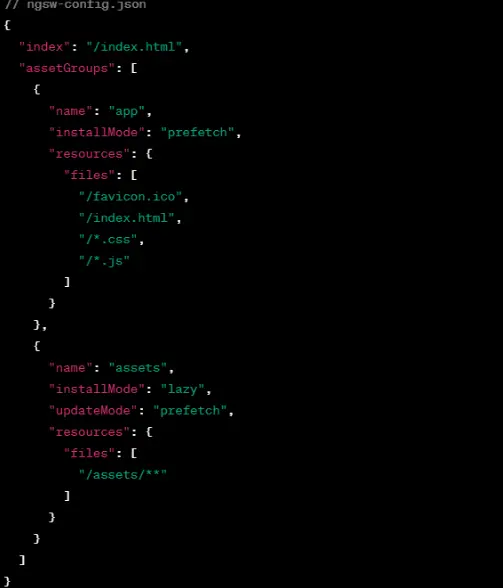
Introduce the concept of service workers and explain how they can be employed to enable offline capabilities in Angular applications. Discuss the implementation of service workers for caching assets and handling requests when the user is offline.
Install angular service worker

Update app module
Create server worker configuration
Testing development

Build and deploy

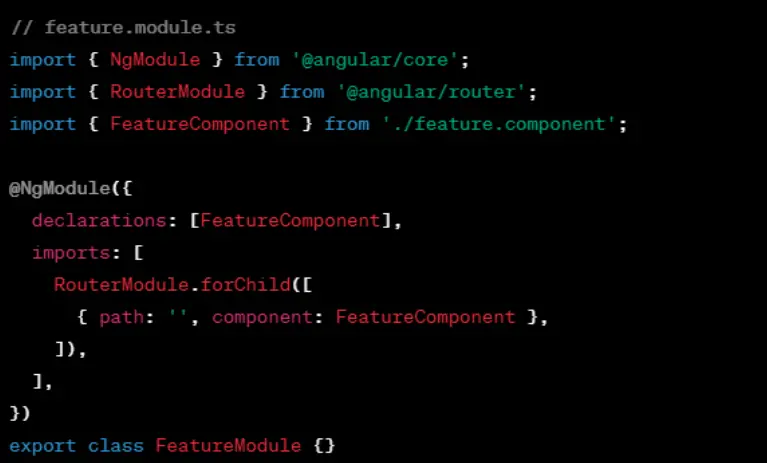
Delve into the benefits of code splitting to break down large bundles into smaller, more manageable pieces. Explain how to implement code splitting in Angular, allowing users to download only the necessary code for the features they are currently using.
Create feature module
Lazy load feature module
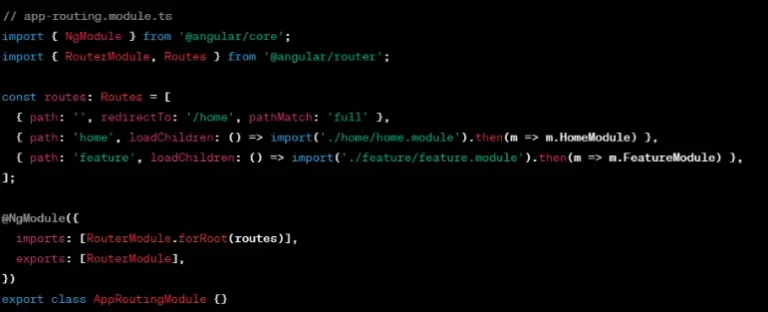
Use router link

Build & serve


Boost your Angular app’s performance with these optimization strategies. Keep an eye on your app’s speed, analyze it regularly, and make improvements where needed. Stay updated on the latest best practices to ensure your Angular apps provide a speedy and responsive user experience. Happy optimizing!
About Author:
This blog is written bySatya Narayan Mishra, a Full Stack Developer at BigOhTech. He specializes in MEAN stack technologies to craft innovative products.