Cloud migrations can become terrifying sometimes.
But they don't have to be. Companies that move their apps from their own servers to the cloud with the right strategy can keep up with technology and prepare for their next big moves: faster product launches, cost reduction, and better collaboration.
And this is only growing. IDC research forecasts that spending on public cloud services will reach $805 billion in 2024 and double by 2028. 94% of enterprises are already using cloud computing service and the ones getting it right are those who are:
If you're thinking about migration but aren't sure where to start, this guide is for you.
I'll cover what a cloud migration strategy is, the benefits it brings to your organization, and how you can migrate your complex workloads smoothly to a cloud environment.
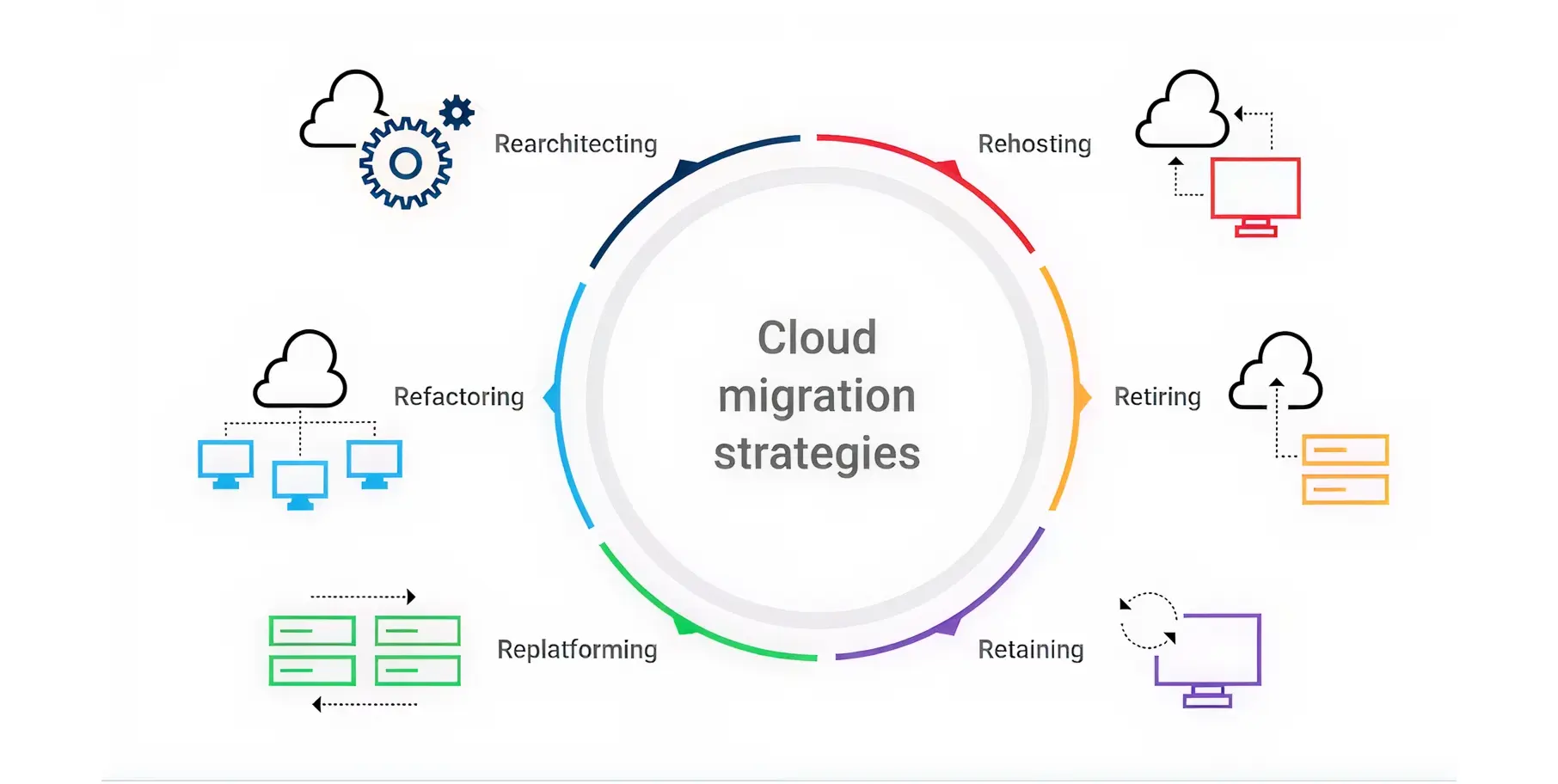
Cloud migration involves migrating your applications, data, and infrastructure from on-premise or legacy systems to cloud platforms (such as AWS, Azure, or GCP), or between cloud environments, to drive scalability, performance, and cost optimization
Then, the cloud migration strategy is the blueprint that involves deciding when, where, and how to migrate, and ensuring that your current workflows will run smoothly as you move your database and applications to the cloud.
As per Canalys (global technology market research firm), with each passing year, the spending on cloud infrastructure rises by 20% with a year-on-year growth, which grew from $267.7 billion in 2023 to $321.3 billion in 2024.
Businesses adopting the cloud's first strategy are doing it for 3 reasons-
Here are a few non-negotiable advantages organizations gain when migrating their workloads to the cloud. These are as given below -
Your hardware is ageing; the data centre lease is ending, and now you realize this is the best time to move your infrastructure to the cloud.
With traditional on-premises systems, companies need to buy and install servers physically, add more storage, and allocate more resources to meet growing business demands.
But clouds aren’t like that. Because it’s scalable enough, you can scale up resources during peak season, meet the fluctuating demands and scale it back to avoid the cost of idle infrastructure.
This makes scaling more cost-effective, as you’re using a pay-as-you-go pricing model that lets you pay for the resources you actually use.
Cloud migration saves you money because investing in on-premises data centres requires a high capital investment, from hardware costs to ongoing depreciation and maintenance expenses.
For instance, managing a single unmanaged computer can cost around $5000 annually, and an additional cost would be incurred when it becomes obsolete in a year or so, even if your business requirements change.
But this is not the problem with the pay-as-you-go model. If you’re using the Google Cloud Platform and you’re getting most of your traffic on weekdays, then the cloud platform will scale up resources automatically as per the current demand. That’s what autoscaling is.
Moving to the cloud can improve application speed and performance. This means apps and websites hosted in the cloud are scalable enough to handle more users or higher traffic.
Cloud providers such as Amazon Web Services, Google Cloud Platform, and Microsoft Azure already invest in infrastructure, global networks, and data centres.
By choosing the right server type, businesses can reduce latency and optimize application performance.
The biggest opportunity for organizations is reducing risk, as cloud service providers invest in security measures such as end-to-end encryption and regular security audits.
Even when data is migrated from legacy applications to a cloud platform, the cloud migration strategy should detail data protection during storage and in transit, user access management, and whether compliance standards such as HIPAA and GDPR are met.
Unlike on-premises architecture, migrating to cloud platforms is quite flexible, as it moves your IT systems out of physical data centres. Your IT staff can access company systems and data from anywhere.
As a result, remote work and collaboration have become easier, as employees in different locations can have video calls, share files, and collaborate.
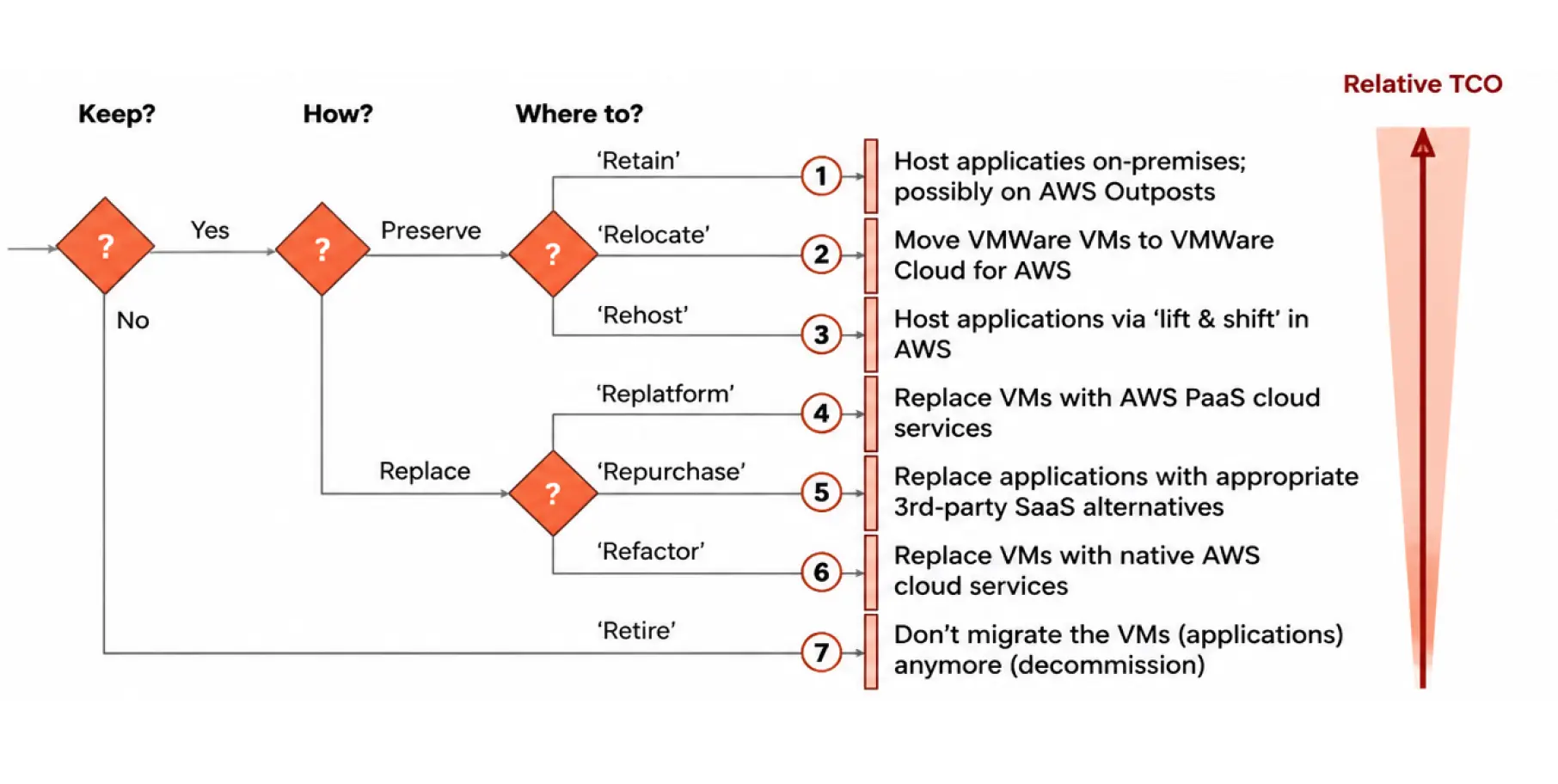
There are 7 types of cloud migration strategies and knowing each is important because choosing the wrong one can turn your migration project into an expensive, chaotic mess, costing you time, money, and more frustration.
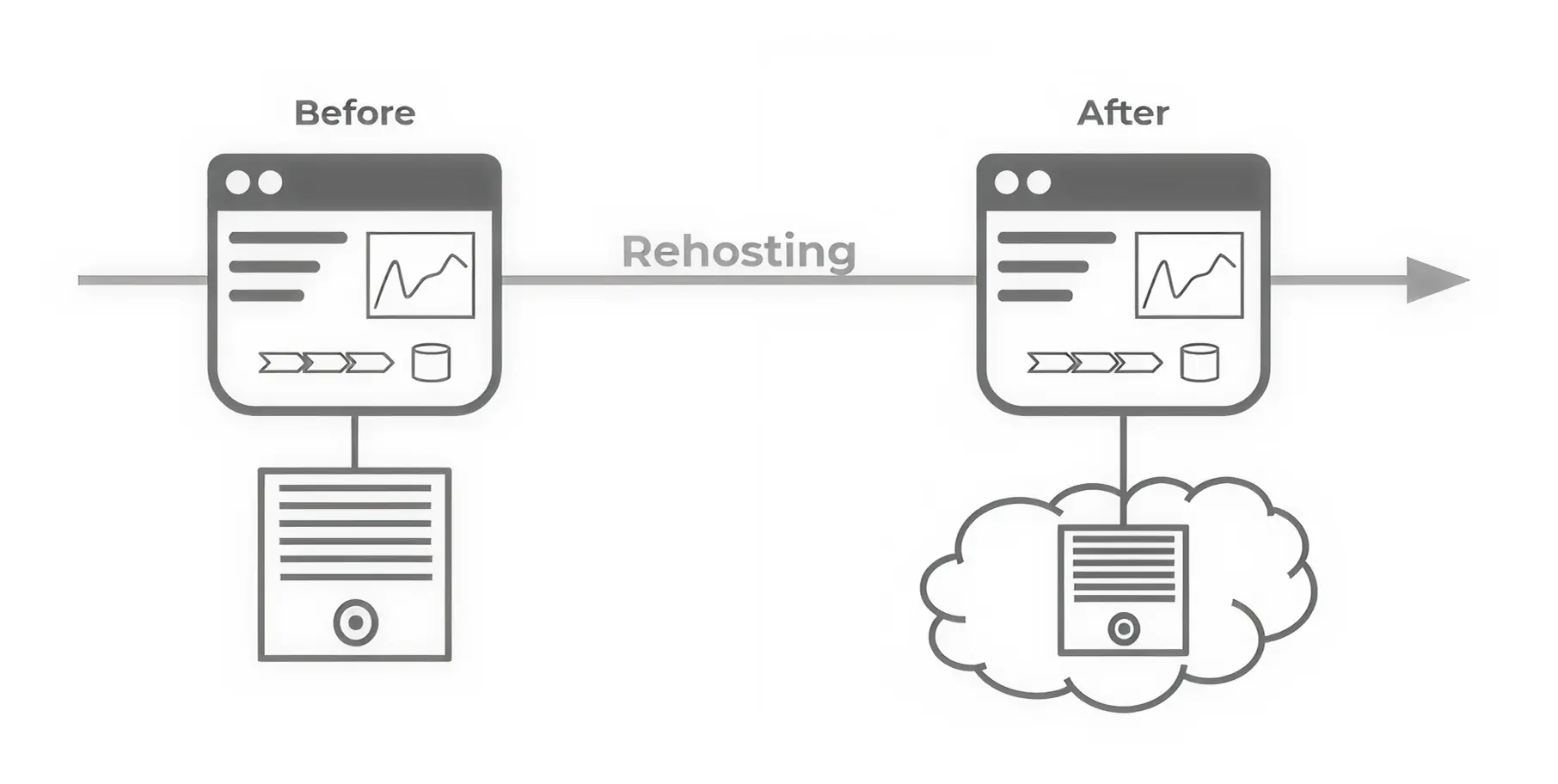
Rehost is the most straightforward migration strategy. It’s also known as a lift/shift strategy, as you take what you have on-premises and rehost it to the cloud with minimal modifications.
This is ideal when you need a quick migration. For example, a company running SAP S/4HANA in an on-premises data centre needs to migrate quickly.
They can use Google Cloud Services by migrating the entire SAP database to EC2 instances while maintaining the same on-premises setup.
Example: Pinterest used a rehost (lift-and-shift) strategy when migrating parts of its infrastructure to Google Cloud. Their goal was to migrate quickly and avoid delays in product development.
By using the lift-and-shift first strategy, their teams had more time to optimize later, once services were already stable in the cloud. It was a decision based on balancing engineering priorities and business continuity.
Relocation involves migrating existing workloads without changing any ongoing operations or source code. This is basically a hypervisor lift and shift strategy, like you’re moving your virtual machines, exactly as they are, from your on-premises architecture to the cloud.
It's like you don’t change the application. You don’t adjust the architecture. You just moved a full VM from your datacenter to a cloud-hosted hypervisor.
Like VMware on AWS, where you migrate VMware virtual machines to ESX servers in the cloud, keep the same operations, running them, and managing them from vCenter.
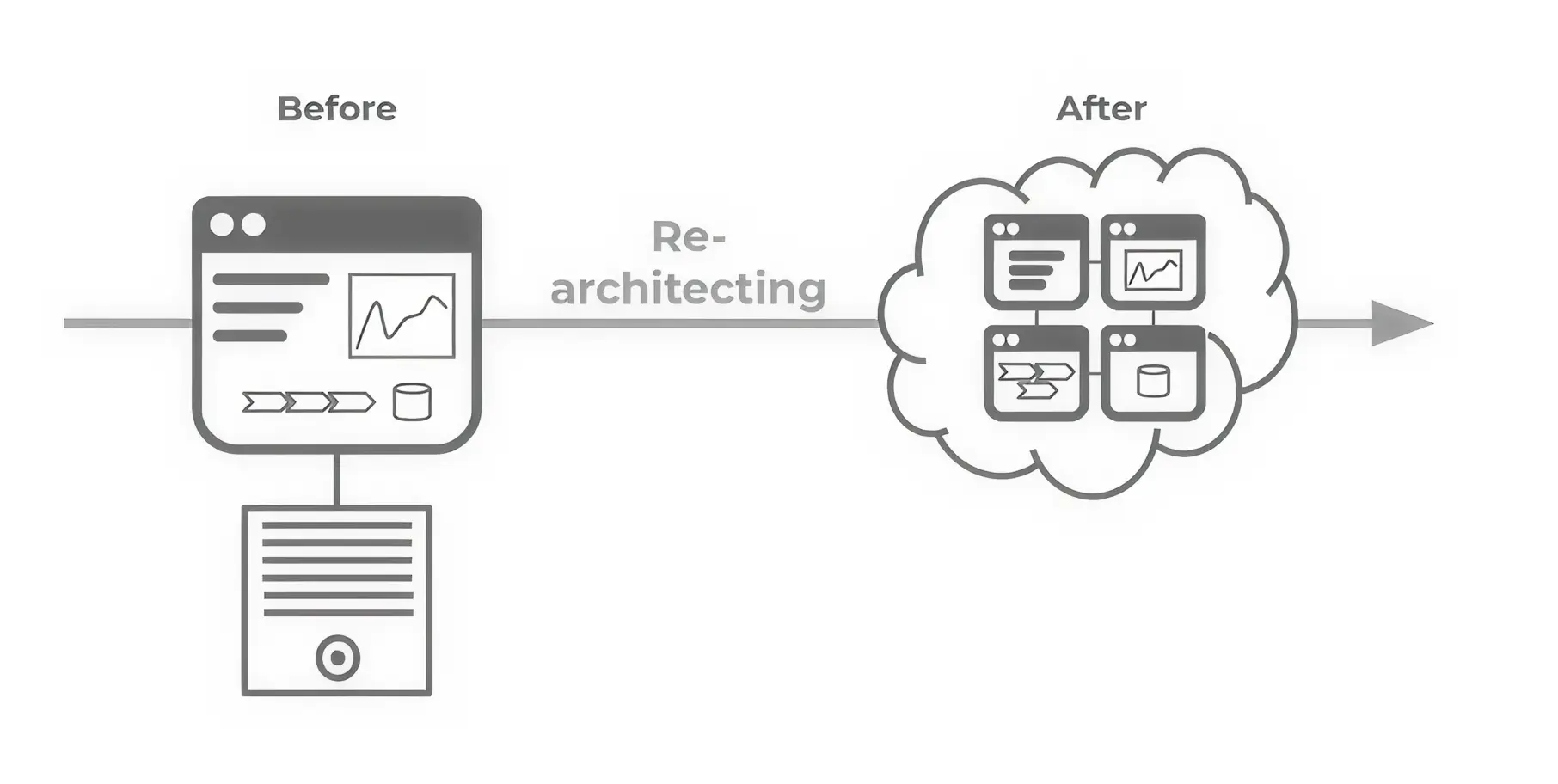
Refactoring is a way to restructure an application to make it cloud-ready. It can be done by optimizing the code, changing the application architecture, or making it suitable for a cloud-native environment.
During the migration plan, refactoring involves identifying which parts of the application need to be restructured.
For example, if you were using the .NET Framework or a legacy application, you can redesign your application with code changes to suit a more containerized environment.
This involves breaking down your application into smaller chunks (from monolithic to microservices).
When starting a digital transformation journey, retaining a cloud migration strategy is one way to keep your applications on premises.
After careful assessment, if the applications cannot be moved to the cloud because there are certain challenges, such as dependencies or old infrastructure.
It could be your mainframe environment, which cannot be migrated to the cloud. You might consider retaining the infrastructure as is, keeping it on premises.
But you consider migrating to the clouds in the long run.
Example: HSBC, a large global bank, began its cloud adoption journey; they chose to retain certain core banking systems, especially those deeply integrated with the old mainframe environment.
Mainframes continue to power many banking systems and moving them is not a simple task.
But retaining these systems enabled HSBC to continue operating while still investing in emerging technologies, such as cloud transformation.
Some workloads are no longer needed and should be retired rather than migrated. For example, a finance company finds that 20% of the applications are not running.
Instead of moving everything to the cloud, they adopted a retire cloud migration strategy involving shutting down outdated systems.
Auto Desk, a 40-year-old software company, develops software for the design and manufacturing industry. It partners with AWS to migrate its workloads from on-premises data centres to AWS.
As part of its cloud transformation strategy, Autodesk retired 209 obsolete applications it no longer needed.
Such a modernization strategy helps them reduce their costs.
Applications that are not serving any purpose and are sitting in your data centre, eating up your maintenance costs. So, you decide to retire from these applications.
Just like retaining the application, retiring is also a backward strategy because you’re not moving towards the cloud; instead, you're turning them off and deleting them to reduce costs, which can be further utilized for apps ready for cloud migration.
Consider Repurchasing migration as a drop-and-shop strategy. It involves repurchasing legacy apps in favour of SaaS alternatives. Your company has been relying on an on-premises CRM system for years, but it has become outdated and costly to maintain.
This means you’re starting with the new cloud service provider, discarding on-premises licensing, and the upgraded version delivers higher efficiency and greater cost savings.
Example: During its cloud transformation, Netflix migrated its internal systems, including HR, finance, and CRM, from custom-built applications to SaaS solutions.
Instead of rebuilding or migrating internal tools, they adopted platforms like Workday for HR management and Salesforce for CRM. This allowed their engineering teams to focus on their core business rather than managing internal business systems.
We can take resources from the on-premises data centre and replatform them to a cloud service. This is done to improve your system performance, reduce maintenance, and use cloud services to save costs.
A replatforming cloud migration strategy comes into play when you don’t want to change the application or rebuild everything from scratch. You move your application to the cloud with fewer smart changes. No rewriting and no redesign.
But you make small improvements that help the app work better in the cloud.
Before migrating to the cloud, you need a clear business goal. Here’s how you can do a successful migration from legacy applications to the cloud -
Identify the application or workload that needs to go to a cloud or project management app that enables team collaboration or meetings, or a scheduling app that lets employees access their calendar from any device.
You need to see which applications or workloads demand cloud migration first. And to see how those applications will be replicated to the cloud.
That begins with setting objectives such as cost savings, improved performance, or increased agility.
In this phase, you need to choose a cloud service provider and assess its offerings, capabilities, features, security, and compliance. And see whether they align with organizational goals, needs, and budget.
This gives an idea of which cloud is best for your workload.
This involves outlining what needs to be done:
Calculate the cost of cloud infrastructure migration, including cloud migration planning, cost of hiring and training staff, etc.
This also involves assessing the cost of 3 cloud service providers, which are Google Cloud, Azure and AWS, plus estimating the ROI you will get through such a migration.
We help you choose the strategy that's most appropriate for your business, based on your goals and the cost of complexity. Whether it’s a lift-and-shift strategy, refactoring your application, or legacy app modernization, we can help you choose the approach.
Before going live in the production environment, you need to test everything in a non-production environment to -
Once testing is done, the next step is to migrate your applications and data to the cloud.
In this phase, you need to monitor application performance using real-time analytics.
Cloud migration often fails because of people's problems rather than technology problems.
Educating teams, including leadership and business managers, must make them cloud-ready and familiar with new technologies, such as adopting DevOps and CI/CD principles.
Security should not be an afterthought; it’s essential to involve the security team early on to address regulatory and compliance-related concerns, such as GDPR.
For example, AWS supports compliance standards such as HIPAA, PCI DSS, and others.
Migration doesn’t end at the deployment stage. The goal is to determine whether moving to the cloud has served the intended purpose, such as -
The cloud environment becomes more expensive if not managed properly.
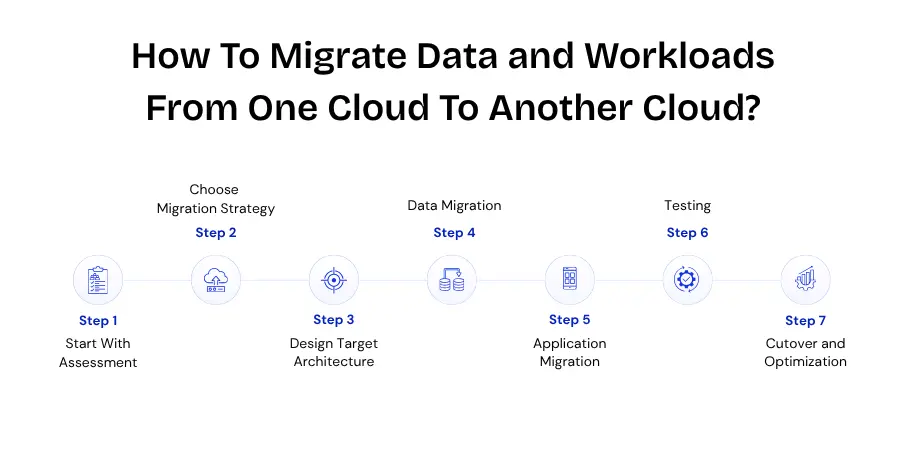
Here’s how you can do a successful migration from cloud to cloud -
This involves fully understanding your current environment by assessing all applications, APIs, databases, and dependencies.
Then, we classify
A migration plan prioritizes workloads based on risk factors.
Not everything should be moved the same way, as different workloads require different approaches -
Note: Most companies use a mix, not one approach.
In this phase, we will map services from the current cloud to the target cloud.
For example, EC2 – VM (Azure/ GCP)
S3 – Blob storage/ Cloud storage
We also define -
This ensures the system will run smoothly and securely in a new cloud environment.
This step focuses on moving data safely, but it’s one of the most complex steps because all systems depend on accurate data.
While doing this, you must also plan for -
This involves migrating actual applications and computing workloads.
Here are a few common methods of doing application migration -
You will also need to update configurations like endpoints, secrets (credentials, keys), and environment variables.
This step ensures that everything works correctly after migration.
You perform -
This is the final stage where the system goes live in the new cloud -
After cutover, we’ll track the system’s health and identify performance issues.
Once the migration process is over, we will optimize your performance and cost using monitoring response times and system load, scaling resources, optimizing database queries, and reducing latency through better architecture.
As a DevOps consulting company, we help you modernize your legacy infrastructure, whether moving from on premises to the cloud (AWS or Azure) or switching between cloud providers.
We make the migration process secure and smooth, aligned with your organizational goals.
We start by analyzing your current environment, then guide you with the right architecture recommendations and tools to move workloads safely.
Best part? We bring a network of certified partners with proven expertise in cloud platforms built for handling complex, large-scale migrations.
Native cloud migration tools include AWS Server Migration, Azure Service Migration, and Google Migrate for Compute Engine.
Third-party migration services include CloudEndure, Cloudamize, and CloudVelox.
When moving to the cloud, there are several cloud service models, which are as follows -
A cloud-readiness assessment helps organizations determine whether they’re prepared to move to the cloud.
It’s a structured evaluation that includes -
Cloud costs can be controlled by tracking usage, right-sizing resources, implementing governance policies, and continuously optimizing the environment.
Proactive cost management helps prevent overspending.


•
Sr. Technical Writer•
Articles